How to Automate Your Customer Service with AI Chatbots: The Ultimate Guide to Scaling Support and Boosting Satisfaction
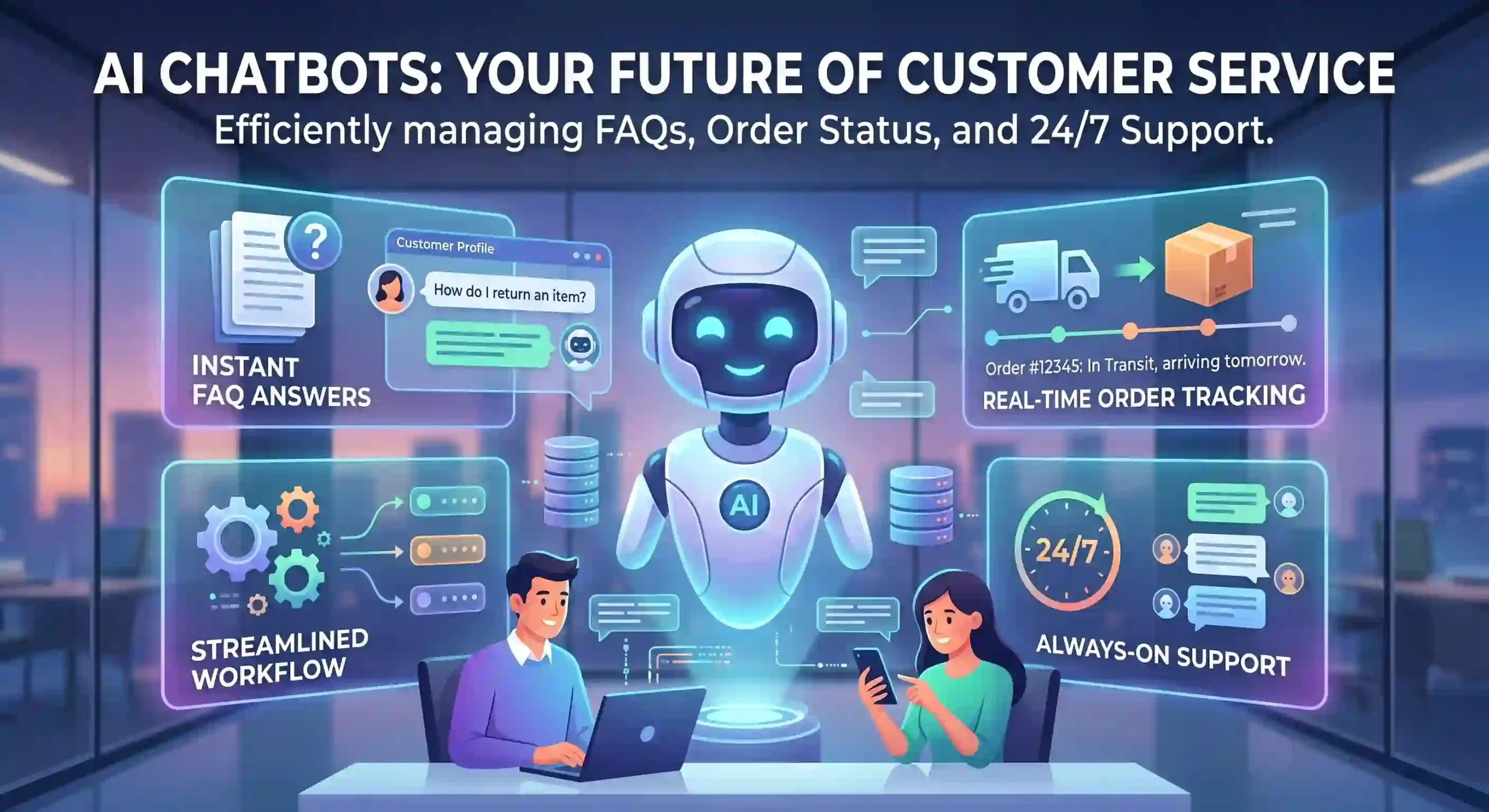
In today’s “always-on” digital economy, customer expectations have undergone a fundamental shift. The modern customer doesn’t just want an answer; they want it now. If they are shopping at 2 AM or need technical support during a holiday, they expect immediate assistance.
For many businesses, this expectation creates a massive operational challenge. Maintaining a human customer support team that operates 24/7, responds in real-time, and can handle thousands of simultaneous inquiries is cost-prohibitive. The inevitable results are long wait times, frustrated customers, and overwhelmed agents.
This is where AI chatbots enter the picture as a game-changer. By automating your customer service with AI, you can transform support from a costly bottleneck into a powerful driver of efficiency and customer satisfaction.
In this article, we will explore exactly how to successfully implement AI chatbots, the benefits they provide, and the best practices for creating a modern, automated customer service ecosystem.
Understanding the Shift: Basic Bots vs. Modern AI Chatbots
Before diving into how to automate, it’s important to understand the technology. We must distinguish between traditional automation and modern Artificial Intelligence.
1. Rule-Based Chatbots (Basic Automation)
Traditional chatbots operate on rigid, decision-tree rules. If a customer clicks “A,” the bot shows response “A1.” If they ask a question that wasn’t perfectly anticipated in the script, the bot fails and asks to connect them to a human. While useful for simple FAQ sorting, they lack flexibility and often feel frustrating to customers.
2. Modern AI Chatbots (Conversational AI)
Modern AI chatbots are powered by Large Language Models (LLMs) and Natural Language Processing (NLP). They do not rely on pre-written scripts. Instead, they digest your existing company data (websites, knowledge bases, PDFs) and learn to understand the intent behind a customer’s query, even if the phrasing is unique or conversational. These chatbots can generate human-like, contextually accurate responses and learn from their interactions.
This modern AI is what allows true automation of complex support tasks.
The Business Benefits of AI-Powered Customer Service
Implementing AI chatbots is not about replacing humans; it’s about augmenting your workforce and elevating the customer experience.
- 24/7 Availability: AI chatbots work around the clock, providing instantaneous responses 365 days a year. This eliminates “office hours” and ensures international customers or night owls get immediate help.
- Scale Without Cost: When a business experiences a spike in traffic (e.g., during Black Friday or a product launch), human teams become overwhelmed. An AI chatbot can handle 10,000 inquiries simultaneously just as easily as it handles ten, without any increase in staffing costs.
- Massive Cost Reduction: Automating routine queries significantly drops the cost-per-interaction. Businesses can often reduce customer support operational costs by 30% or more.
- Instantaneous Response Times: The average human response time for a ticket might be several hours. An AI chatbot responds in seconds.
- Increased Agent Satisfaction: When chatbots handle 80% of routine FAQs (password resets, shipping status, product pricing), human agents are freed from mundane tasks. They can focus on complex, high-empathy, or high-value customer issues, leading to better job satisfaction and less burnout.
A Step-by-Step Guide to Automating Your Customer Service with AI Chatbots
A successful AI automation strategy is not about flipping a switch; it’s a strategic process.
Step 1: Identify Your Goals and Core Use Cases
Don’t try to automate everything at once. Start by analyzing your current support data.
- What are the top 10 questions your agents answer daily? These are prime candidates for AI automation (e.g., “Where is my order?”, “How do I return this?”, “What are your shipping rates?”).
- Where are the bottlenecks? Do you have long hold times? Is chat availability limited?
- What is the desired outcome? Are you trying to reduce response times, decrease support costs, or increase customer satisfaction scores (CSAT)?
Define these key performance indicators (KPIs) before selecting a solution.
Step 2: Choose the Right Platform or Solution
There are hundreds of AI chatbot solutions on the market, ranging from simple plugins to enterprise-level platforms.
- No-Code Builders: Solutions like Intercom Fin, Chatbase, or Zendesk AI allow you to build sophisticated bots by simply pointing them to your website URL, uploading PDFs, or connecting your existing knowledge base. These are fast and highly accessible for SMEs.
- Custom Enterprise Solutions: If your business has highly complex security requirements, unique regulatory constraints, or needs deeply custom integrations, you may opt for building a custom solution using developer APIs from companies like OpenAI, Anthropic, or specialized AI consultancy firms.
When choosing, evaluate the platform’s ease of use, natural language understanding capabilities, and integration library.
Step 3: Design the Conversation and Integration Flow
While modern AI chatbots can generate their own responses based on your data, you still need to design the customer experience.
- Tone of Voice: How should the AI represent your brand? Helpful and professional? Friendly and casual? Make sure the AI’s personality matches your business.
- Data Ingestion: Your AI is only as good as the data you feed it. Ensure your website and knowledge bases are up-to-date and comprehensive. A well-organized knowledge base is the foundation of effective AI support.
- Integrations: A simple bot answers questions; an automated support system executes tasks. Connect your chatbot to your primary systems:
- Ecommerce Platform (Shopify/Magento): Allows the bot to look up order status or process returns.
- CRM (Salesforce/HubSpot): Personalized help using the customer’s history.
- Helpdesk (Zendesk/Jira): Creates a ticket automatically if the bot fails to resolve the issue.
Step 4: Master the Critical “Human Handoff”
One of the worst mistakes in automation is trapping a customer in a “bot loop.” The moment a customer becomes frustrated or asks a complex question that exceeds the bot’s training, there must be a seamless, prioritized transfer to a human agent.
A sophisticated AI system can recognize frustration (sentiment analysis) or know its own limits. When a handoff is triggered, the AI should provide the human agent with a full summary of the chat history, so the customer doesn’t have to repeat themselves.
Step 5: Test, Monitor, and Iterate
Automation is not a one-time setup. It requires continuous improvement.
- Pilot Phase: Launch the AI bot on a low-traffic section of your site or only for specific queries before rolling it out full-time.
- Monitor Analytics: Track metrics like Bot Deflection Rate (percentage of chats resolved without a human) and CSAT after AI interaction.
- Feedback Loop: Modern AI systems identify “unknown queries”—questions it couldn’t answer. Use this data to update your knowledge base. Review conversation logs to find areas where the bot gave subpar advice.
Best Practices for Responsible and Effective AI Automation
To make your AI initiative a success, follow these ethical and strategic guidelines:
- Be Transparent: Never try to trick a customer into thinking they are talking to a human when it is an AI. Transparency builds trust. State clearly: “Hi, I’m the AI Assistant.”
- Ensure Privacy: Be extremely cautious about what data the AI can access and what data it collects. Ensure the system is compliant with data privacy regulations like GDPR or CCPA.
- Always Provide a Way Out: Regardless of how smart your AI is, some customers prefer talking to a human. Don’t hide the option to connect to a human agent.
- Use AI to Empower, Not Overpower: Maintain a balanced support ecosystem. Your best strategy is one where AI handles the routine and humans handle the complex.
The Future of AI in Customer Service
The landscape is moving rapidly beyond text chatbots. The next phase of customer service automation includes:
- Multimodal AI: AI that can process text, images, voice commands, and even video diagnostics simultaneously. (e.g., A customer snaps a photo of a broken part, and the AI instantly identifies it).
- Predictive Support: AI will predict customer issues before they arise. It could send a pro-active alert about a service interruption or offer a personalized guide right as a customer navigates to a known confusing webpage.
- End-to-End Resolution: The goal is total problem resolution without human intervention, from the initial query through data retrieval to the final action.
Conclusion: Starting Small, Thinking Big
Automating your customer service with AI chatbots is no longer an optional luxury; it’s an operational necessity for businesses that want to compete on customer experience. By providing instantaneous, 24/7 assistance and scaling your support efficiency, AI chatbots deliver exceptional ROI.
The key to success is to start small. Don’t try to build a digital Einstein on day one. Focus on automating your most frequent, simple inquiries. Once you have a strong foundation and a streamlined human handoff process, you can gradually increase the AI’s responsibilities.
By integrating intelligent AI into your customer service workflow, you are not replacing your human support team; you are giving them the tools they need to be superstars, resulting in happier agents and, most importantly, happier customers.